How to check how many people clicked on the link?
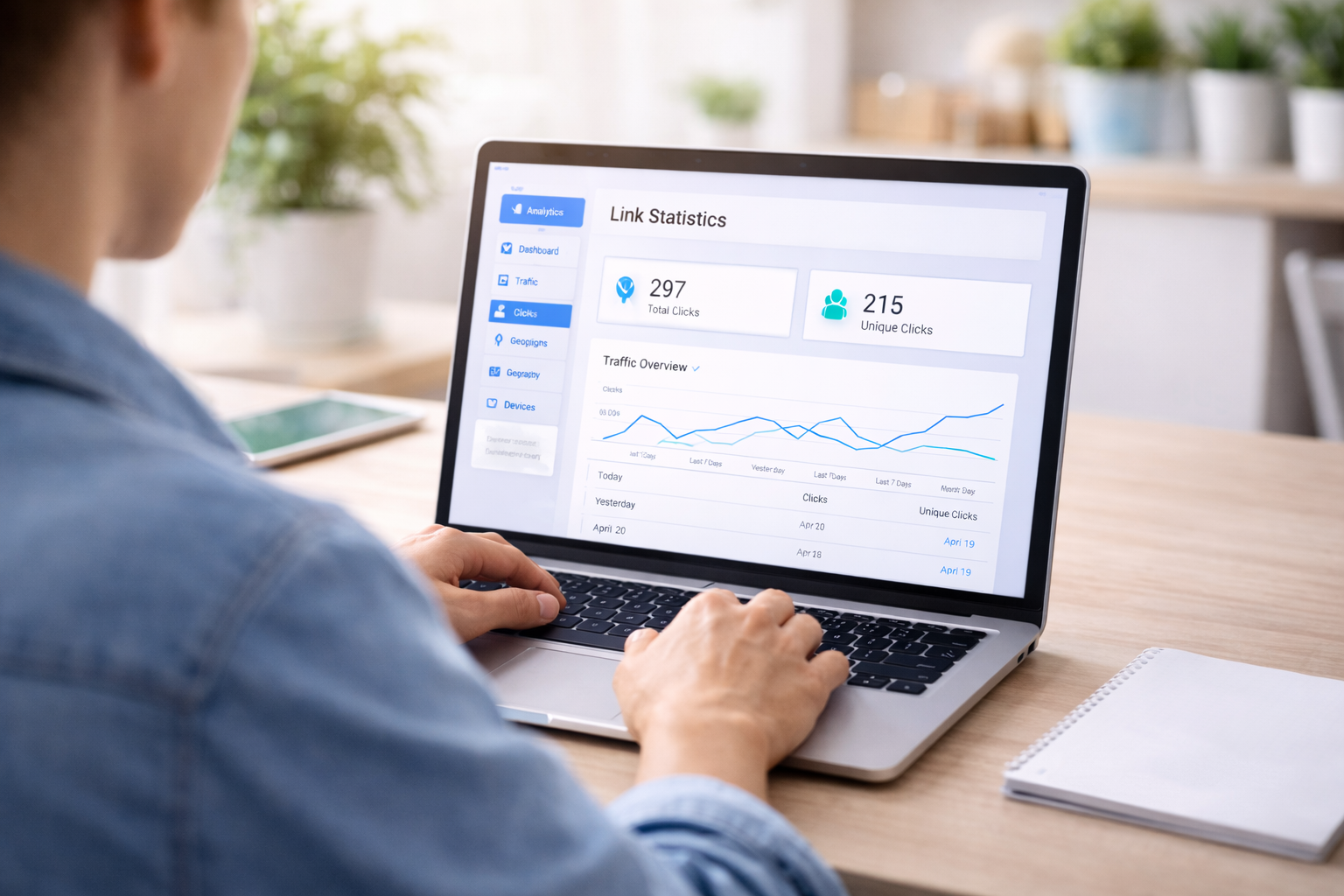
If you are in internet marketing, affiliation, email marketing or you simply promote your content on social media, sooner or later a key question arises: how to check how many people clicked on the link?
This is not a technical detail.
This is the foundation of decision-making.
Without knowing about the clicks:
-
you don't know, whether your ad works,
-
you don't know, does mailing make sense?,
-
you don't know, whether the post generates real interest,
-
you don't know, whether the offer attracts attention.
You can have hundreds of views and zero results.
You can have low traffic and great results.
In this article I will show you exactly:
-
what are the click checking methods,
-
which are free,
-
which are professional,
-
how to interpret data,
-
how to avoid beginner mistakes.
One link. Multiple sources of income.
Create your own link, collect leads and build a system, that generates commissions even when you are not online.
Create your link >>Foundation: why does it even matter?
If you post a link on the internet, sooner or later one key question arises: how to check how many people clicked on the link?
Most beginners only look at:
-
number of post views
-
number of likes
-
number of comments
But it's not these metrics that generate money.
A click is the first real signal of interest.
To moment, where the user makes a decision.
Without knowing the number of clicks:
-
you don't know, does the header work?,
-
you don't know, whether the offer attracts attention,
-
you don't know, whether the traffic is qualitative,
-
you don't know, does the campaign make sense?.
You can have it 1000 views i 3 clicks.
You can have it 150 views i 40 clicks.
The second case is much better in terms of marketing.
Therefore, the answer to the question of how to check how many people clicked on a link is not a technical curiosity. This is the foundation of decision-making.
If you are building a website, what I wrote about in the article How to set up a website for free, just having it gives you nothing. What matters is movement and its quality.
And quality starts with data.
The easiest ways to check your clicks
Now that you know, why clicks are more important than views themselves, let's get down to specifics. How to check how many people clicked on a link in the easiest way?
1️⃣ Statistics built into the platforms
If you use:
-
advertising system,
-
panel for sending the newsletter,
-
social platform,
very often you have access to basic data such as:
-
number of clicks,
-
CTR rate,
-
number of openings (in the case of mailing).
This is the simplest solution. No installation or configuration required.
The problem is this, That:
-
data is scattered in different places,
-
you can't compare campaigns in one panel,
-
you don't always know, where exactly did the traffic come from,
-
you don't have full control over bot filtering.
For beginners this is enough.
For the person building the system – it's not enough.
Your email list is your asset
Build a list with no subscriber or sending limits. Automate email marketing and scale your system without increasing costs.
Start the autoresponder >>2️⃣ Google Analytics – website traffic analysis
If the link leads to your website, you can use a tool like Google Analytics.
Analytics allows:
-
to check, how many people visited a given subpage,
-
see the traffic source (Facebook, Google, direct),
-
analyze user behavior,
-
measure events.
But here comes an important thing.
Google Analytics shows website visits, not always directly clicking on a specific affiliate link leading outside the website.
To measure outbound clicks, it's necessary to:
-
configure events,
-
set up button tracking,
-
sometimes add the code manually.
For a technical person – easy.
For a beginner – there may be a barrier.
3️⃣ Link shorteners
The simplest method for affiliate links is a shortener, np. Bitly.
The action is trivial:
-
You paste the link.
-
You generate a short version.
-
You get a panel with statistics.
You see:
-
how many people clicked,
-
when they clicked,
-
what country does the traffic come from?.
It's quick and convenient.
But still:
-
you don't have advanced filtering,
-
you won't divide traffic by campaign in one place,
-
you are dependent on an external platform.
Therefore, a shortener is a good starting solution, but not always sufficient, if you are building something bigger.
Professional tracker and full control over your clicks
If you take marketing seriously, sooner or later you will come to a conclusion, that basic statistics are not enough. Then the question is answered how to check how many people clicked on the link it is no longer a question of "can you see the number", and it becomes a question of data quality.
This is where a professional link tracker comes in.
What is the difference between a tracker and a shortener??
Shortener:
-
shows the number of clicks,
-
sometimes a country,
-
sometimes a device.
-
allows you to create multiple versions of the same link,
-
assign them to specific campaigns,
-
analyze the traffic source,
-
filter bots,
-
measure conversions,
-
test different variants.
That's a huge difference.
Stop gluing tools together
Landing page, tracking, email marketing and traffic in one system - simpler and faster.
Simplify your system >>Practical example – affiliation
Let's assume, that you are promoting one partner program.
You create 4 various links:
-
Link A – do Facebooka
-
Link B – do YouTube
-
Link C – do mailingu
-
Link D – from the blog
They all lead to the same offer.
Without a tracker, you will only see the total number of clicks in the partner dashboard.
With the tracker you will see:
-
which channel generates the most clicks,
-
which gives the best CTR,
-
that brings conversions.
And that's when you start making data-driven decisions.
A/B testing – optimization instead of guessing
The tracker also allows you to test:
-
different headlines,
-
various CTAs,
-
various intermediate sites.
Example:
You send two emails to a similar group of recipients.
Version 1:
"Check out this free online earning tool"
Version 2:
"Look, how you can generate your first leads in 24 hours”
The tracker will show you, which link was clicked more often.
And then you don't have to guess anymore – you just optimize.
Bot filtering – problem, that few people talk about
If you analyze data without a bot filter, you can see:
-
120 clicks,
-
zero conversions.
They may generate some of these clicks:
-
email security systems,
-
link scanning bots,
-
automatic indexing tools.
A good tracker allows you to separate real traffic from artificial traffic.
This is especially important, if you are building an affiliate system or investing in advertising.
Where does this connect to the system?
If you use tools such as a link tracker or link rotator, You can:
-
direct traffic to various offers,
-
test, which converts best,
-
scale only these sources, that work.
The topic links directly to the article LeadsLeap how it works and with the category Marketing tools, because this is where the construction of a real system begins.
Traffic without a system does not make money
Turn clicks into an email list and commissions with a complete online system.
Build the system >>A click is not a conversion. How to interpret data correctly?
This is where many people make a mistake.
They find out, how to check how many people clicked on the link, they see the number… and jump to conclusions.
Meanwhile, clicking is only the first stage of the funnel.
You need to distinguish three things:
-
Display
-
Click
-
Conversion
Display
The user saw the link, ad or button.
He hasn't made any decision yet.
Click
The user performed the action.
He became interested.
Conversion
The user did this, what did you expect:
-
signed up for the list,
-
registered,
-
bought the product,
-
completed the form.
And now the key thing.
You can have it:
-
300 clicks
-
0 conversion
It doesn't mean that, that clicks are worthless.
That means, That:
-
the offer does not meet the needs,
-
the website is not convincing after clicking,
-
the process is too complicated,
-
the movement is of inappropriate quality.
How to analyze data in practice?
Let's assume, that you are sending mailing.
Dane:
-
1000 sent messages
-
400 openings
-
40 clicks
-
4 records
What does this mean?
Openings 40% - Very good.
Clicks 10% from openings – good.
Conversion 10% from clicks – very good.
In this case everything works.
But if you have:
-
400 openings
-
8 clicks
then the problem is in:
-
subject of the email,
-
header,
-
CTA,
-
offer.
The data shows, where is the bottleneck.
Weekly analysis – simple model
If you are building a system, don't analyze data every day.
This leads to chaos.
Make a simple routine:
Check once a week:
-
number of clicks from each source,
-
CTR,
-
number of conversions,
-
best and worst channel.
Ask yourself questions:
-
What works best?
-
What can be improved?
-
Is any channel worth turning off??
This is the moment, in which the answer to the question of how to check how many people clicked on a link is no longer a technical task, and becomes an element of the strategy.
Why most people don't make money despite clicking?
Because they focus on the number, not on structure.
Clicks without:
-
email marketing system,
-
intermediate side,
-
A/B testing,
-
traffic source analysis
they are just statistics.
Only the connection:
movement + tracking + optimization
creates a mechanism.
And the mechanism can be scaled.
The most common mistakes when measuring clicks and building a system
In theory, you already know, how to check how many people clicked on the link.
In practice, many people still do not draw any conclusions from this.
Why?
Because they make repetitive mistakes.
1️⃣ Measuring everything and nothing at the same time
Someone is using:
-
mailing statistics,
-
a separate shortener,
-
Google Analytics,
-
partner panel,
-
yet another tracker.
Effect?
Data is everywhere, but there is no single place of decision-making.
Solution: choose one main click analytics system and stick to it consistently.
2️⃣ No marking of traffic sources
If you post the same link:
-
on Facebook,
-
do mail,
-
for the blog,
-
to the forum,
and you are using one version of the link, you don't know, where did the click come from?.
That's right, as if you were running a business and didn't know, which product sells.
This is why:
-
each channel should have a separate link,
-
each campaign should be marked,
-
each test should be separated.
This is the basis, if you are thinking about scaling.
3️⃣ Looking only at clicks
This is a very common mistake.
„Mam 200 clicks, so it's good."
NO.
You must know:
-
how many of those clicks went further,
-
how many signed up for the list,
-
how many bought the product.
If clicks don't convert, the problem is not in the link, only later in the process.
4️⃣ Changing everything at once
Sometimes someone sees poor results and:
-
changes the headline,
-
changes graphics,
-
changes the offer,
-
changes page,
-
changes the traffic source.
And then he doesn't know, what worked.
Optimization involves testing one variable at a time.
Otherwise, the data ceases to matter.
5️⃣ Lack of patience
One day 5 clicks.
On the second day 2 clicks.
On the third day 8 clicks.
It doesn't mean anything.
Analyze data in context:
-
week,
-
campaign,
-
variant comparisons.
Only then does the answer to the question of how to check how many people clicked on a link begin to have real business value.
Strategic approach – clicks as part of the system
If you are building something bigger than a single affiliate link, you should think like this:
-
Every link has its source.
-
Each source has its own statistics.
-
Every offer has its own conversion.
-
Any result can be improved with a test.
This ties directly into the themes:
-
How to promote an affiliate link effectively
-
How to make money online without your own contribution
-
Email marketing
Because there, clicks are the first stage of the funnel.
Without measurement, there is no scaling.
Without scaling, there are no stable results.
Summary and next step
At the beginning there was a question: how to check how many people clicked on the link?
Now you see, that the answer doesn't come down to a single number on a panel.
You can do this in several ways:
-
check the statistics built into the platform,
-
use Google Analytics to analyze website traffic,
-
use a link shortener,
-
implement a professional tracker.
But just checking the number of clicks is just the beginning.
You need clicks:
-
assign to source,
-
compare between campaigns,
-
compare with conversion,
-
analyze regularly.
Only then do you start acting like a marketer, not like someone, who "posts links and hopes for a miracle".
If you are building a website, what I wrote about in the article How to create your own website for free, then tracking should be implemented from day one. Not after a year. Not "once there is traffic".
From the beginning.
Because even small traffic without data is useless.
Small data traffic is capital.
What should you do now?
-
Choose one click tracker.
-
Organize links by sources.
-
Check, which channel generates the best CTR.
-
Analyze, whether clicks lead to conversions.
-
Correct one element and test again.
Don't complicate it.
System + dane + optimization.
That's enough.
If you want to build a system instead of guessing, check, how they work Leadsleap tools for tracking, link rotation and building websites in one place. Look, how to combine clicks with analysis and optimization, instead of scattering data across several panels.
👉 Create a free account here
Build a system, who works for you
Side, landing page, autoresponder, click analysis and traffic generation in one place.
Check out LeadsLeap and get started >>
How to set up a website for free

Essential Internet Marketing Tools